Configuration overview
Toby’s preferences live in Toby.app → Settings. This section documents settings that are not covered in the feature guides for AI, integrations, personas, schedules, and so on.
Settings map
| Settings area | What it controls | Documented here? |
|---|---|---|
| General | Home directory, start at login, menu bar icon, chat mode, theme, accent (app-local; not in config.json) | Toby Mac App |
| Sync | Encrypted settings/credentials snapshots via iCloud Drive or a shared folder | Settings sync |
| Home | Summary persona; hide onboarding checklist (hide is app-local) | Toby Mac App |
| AI | OpenAI, Vercel AI Gateway, Ollama keys and endpoints | AI providers · Set up AI |
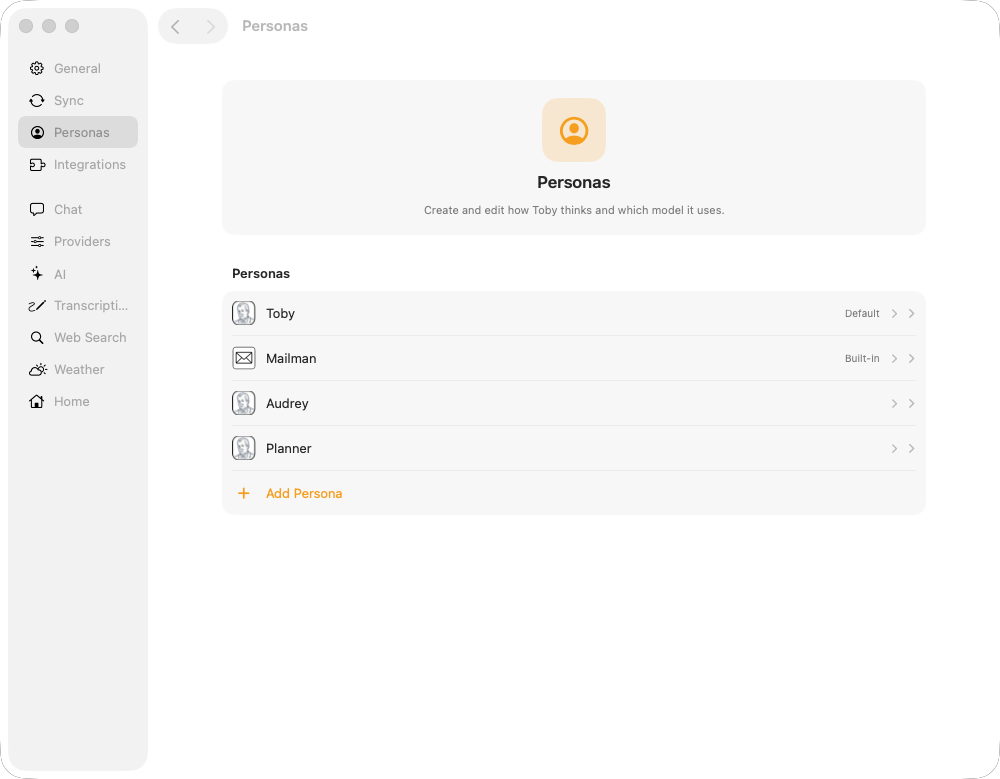
| Personas | Instructions, default persona, model per persona | Personas |
| Integrations | Credentials and connect for Email, Slack, Calendar, … | Integrations · Configure and connect |
| Default Providers | Preferred integration per category (email, tasks, …) | Default providers |
| Chat (inbound) | Listen for @mentions / external chat into Toby | Inbound chat · Chat surfaces |
| Web Search | Built-in webSearch tool (not an integration) | Web Search |
| Weather | Built-in getWeather tool (Open-Meteo; not an integration) | Weather |
| Transcription | Provider, key, and summary persona for Listen / recordings | Transcription |
| Library | Small model used to summarize and caption files added to the Library | Library |
| Schedules | Recurring prompts | Schedules |
| Skills | Skill list and bodies | Skills |
Projects, recordings, library, and memories are managed outside Settings (sidebar Projects, Library, and Recordings workspaces, plus the Memories window from View → Memories). See Projects, Library, Listen mode, and Memories.
Open Settings
- Open Toby.app.
- Click the gear in the main toolbar (next to Search), or press ⌘,.
- Use the sidebar to open a section (General, Integrations, Chat, AI, Home, Transcription, and so on). Integrations and AI open a catalog; click a plugin or provider to slide to its settings. Most changes save as you edit. General (home directory, start at login, menu bar icon, chat mode, theme, accent) and Home → Hide onboarding checklist are stored only on this Mac in the app’s preferences, not in
~/.toby/config.json.
Where data lives on disk
By default Toby’s data root is ~/.toby. In Settings → General → Home
directory you can choose another folder; then every path below is under that
root instead. The CLI still uses ~/.toby unless TOBY_DIR is set in the
environment.
| Path | Contents |
|---|---|
~/.toby/config.json | Non-secret preferences: connection flags, personas, defaults, web search, inbound chat, schedules metadata, and similar |
~/.toby/credentials.json | Secrets (API keys, tokens). On Mac this file is encrypted; Toby keeps the encryption key in your Keychain. Never commit or share this file |
~/.toby/chat.sqlite | Chats, projects, schedules, flows, run history, and library catalog |
~/.toby/memory.sqlite | Saved memories, sources, and memory audit data |
~/.toby/plugins/ | Installed integration plugins |
~/.toby/skills/ | User skills |
~/.toby/listen/recordings/ | Saved audio recordings and transcripts |
~/.toby/library/ | Indexed library files (copied documents, PDFs, and images) |
~/.toby/native-port | Ephemeral port for Toby.app’s Native API |
| Local service port | Daemon Server API default http://127.0.0.1:7847 (web.port in config when set) |
Most people only need the Settings UI. Paths above matter for backups, support, and advanced automation.
For how credentials are encrypted on Mac, what a backup includes, and restore safety, see Security.
What this section covers
- Web Search — enable the global search tool (requires Vercel AI Gateway key)
- Weather — enable the global weather tool (Open-Meteo; optional paid API key)
- Default providers — prefer one integration when several share a category
- Inbound chat — let Slack (or another inbound-capable plugin) drive headless chat turns
- Transcription — models used when Listen recordings are transcribed, plus the persona for recording summaries
For connecting Email, Todoist, Slack, and other services, use Configure and connect and the Integrations guides.