Your first chat
After you set up AI and connect at least one integration, open Toby.app and start chatting.
Start a new chat
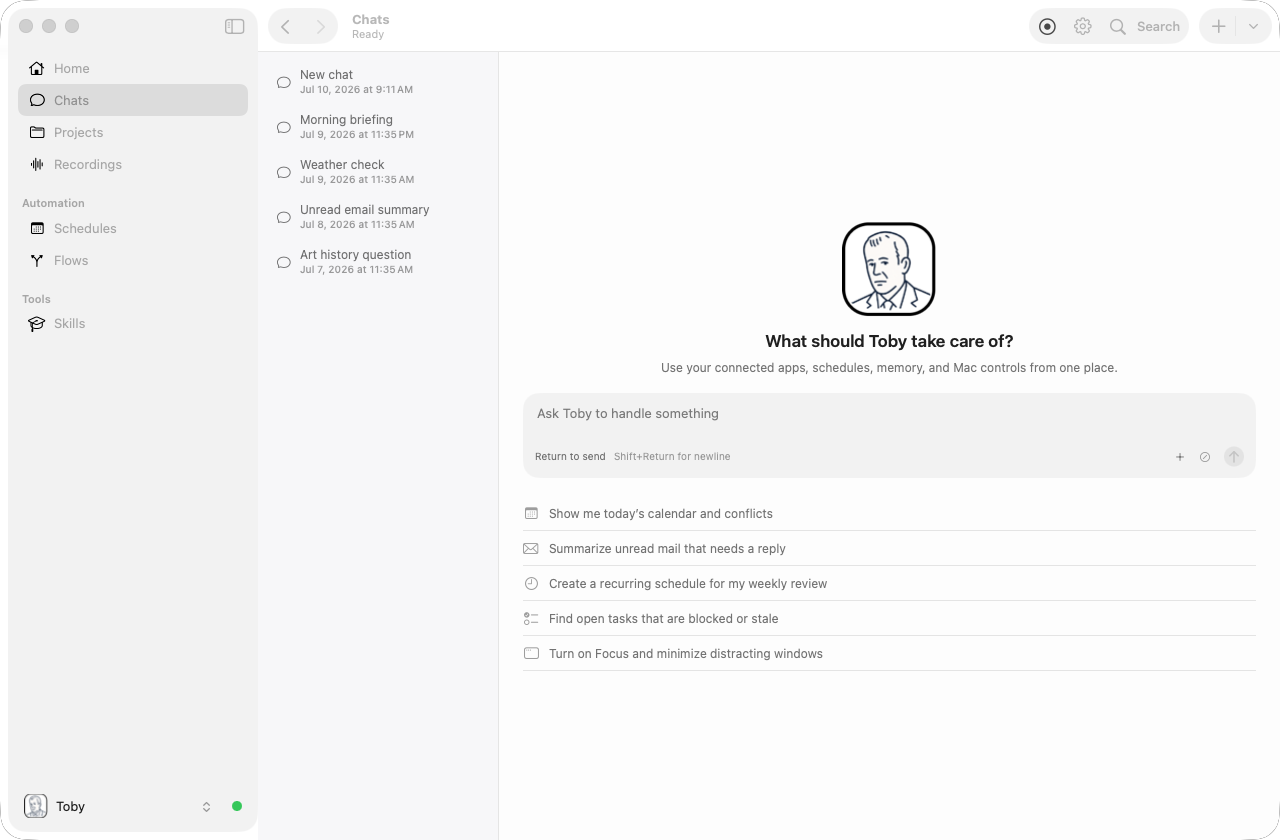
Click Chat in the sidebar, then click the + button in the chat toolbar to start a new session. You will see an empty conversation with a prompt input at the bottom.
The + control is also a menu. Click the chevron to start a chat with a specific persona: Chat with Default Persona, Chat with Toby, Chat with Mailman, and any custom personas you have created. Choosing a named persona pins that persona on the new session; Chat with Default Persona (and a plain click on +) follows your current default.
Send a message
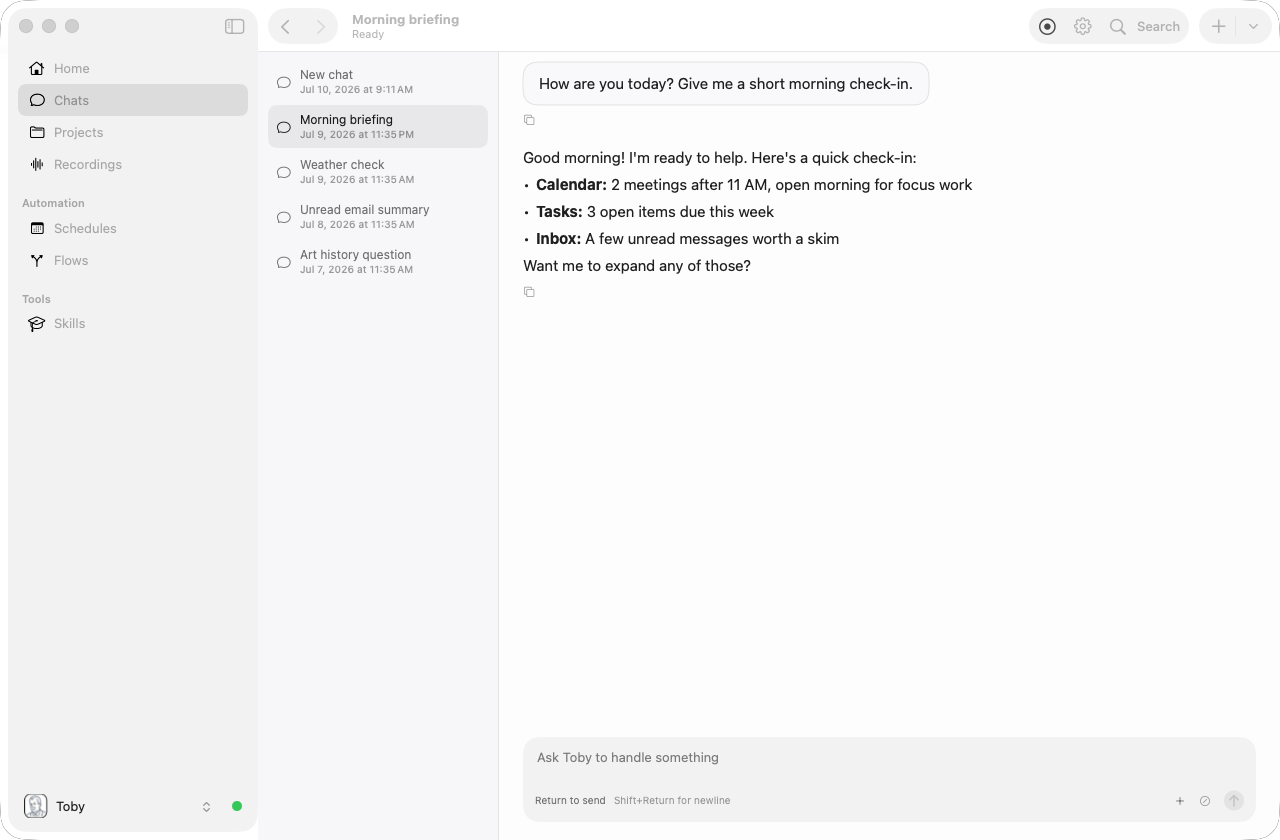
Type your message in the input field at the bottom and press Enter to send. Responses stream in real time. Try a simple prompt like "How are you today?":
When a reply includes a markdown image (), such as a product photo in a recommendation, Toby shows the picture inline. Click the picture to open it (or the linked page) in your browser.
When you ask Toby to write or generate a file, the reply includes a download chip. Download saves a copy to your Downloads folder; Open opens the file with its default app.
You can attach a PDF (or paste a PDF URL) and ask Toby to read or summarize it. This works even when the selected model cannot inspect files: Toby extracts the document’s text into the chat. Scanned image-only PDFs are not supported.
Toby can also answer questions about its own setup. Try prompts like "Which integrations are connected?", "What tools can you use?", "How do I set up Jira?", or "What skills are installed?"
Switch personas
Use the + menu in the chat toolbar to start a new session with a chosen persona. To change the default used by Chat with Default Persona, use the persona picker in the sidebar footer. See Personas for details.
Record audio into chat
On macOS, you can start a recording inside the active chat session. The recording saves, transcribes, and adds the transcript as context so you can ask for a summary or action items. It uses the same helper and permissions as Listen mode.
Projects
Open Projects in the sidebar to create a project or select one from the card view. From a project page you can start a scoped chat, add guidance (AGENTS.md), use project-local skills, and collect generated outputs. See Projects for details.
Next steps
- Integrations overview — per-service setup
- Chat surfaces — Slack tools and @mentions
- Personas · Skills · Memories · Schedules
- Examples