Personas
A persona is a named profile that shapes how Toby thinks and prioritizes: instructions, AI model, and whether those instructions add to or replace the base integration prompt.
Personas do not describe step-by-step procedures—that is what skills are for. Together, a persona plus relevant skills let the same task produce different outcomes depending on your lens.
How personas help
- Prioritization — A “technologist” persona cares more about technical threads; a “project manager” persona cares more about schedules and cross-team coordination.
- Tone and depth — Instructions can ask for brevity, bullet summaries, or executive-level framing.
- Model choice — Each persona can use a different provider and model (for example, a faster model for triage, a larger one for drafting). See AI providers for API keys and recommended models. In the model picker, entries tagged · reasoning come from the provider catalog (for example Vercel
reasoningtags) and are better for deep thinking than short dashboard-style summaries.
Built-in personas
Toby ships a small set of built-in personas. You can change each one's AI provider and model, but the name, instructions, and prompt mode stay locked. Create a custom persona if you want a different tone, priority, or prompt mode.
Toby (default)
If you do not set a custom default, new chats use Toby. It is written for general productivity work:
- Answer the question that was asked, briefly, and stop when done
- Lead with the answer, decision, or next action
- Stay grounded: do not invent facts, emails, events, or tool results
- In chat, ask one focused question when a missing detail would change the outcome
- In one-shot work (dashboard, summaries, schedules), proceed with the given context instead of asking follow-ups
- When labeling items, use only News, Ads, Personal, Career, or Creative — or skip a category if nothing fits
Mailman
Mailman is an inbox specialist. Start a new chat with it from the + menu in the chat toolbar (or set it as your default) when you want email reviewed, prioritized, and labeled.
It sorts mail into:
| Priority | Use when |
|---|---|
| Needs attention | A reply, decision, deadline, payment, security issue, or someone waiting |
| Worth noting | Useful FYI — receipts, confirmations, non-urgent updates — no action today |
| Ignore | Marketing, newsletters without an action, social notifications, automated noise |
And labels with a closed set: Personal, Work, Financial, Home, Travel, Accounts, Promotions. If nothing fits, it skips a category.
Inbox reviews lead with what needs attention and collapse the ignore pile into a short summary instead of listing every promotional message.
Create and edit personas
Open Toby.app and click Settings, then open Personas. That catalog lists every persona; click a row to edit it:
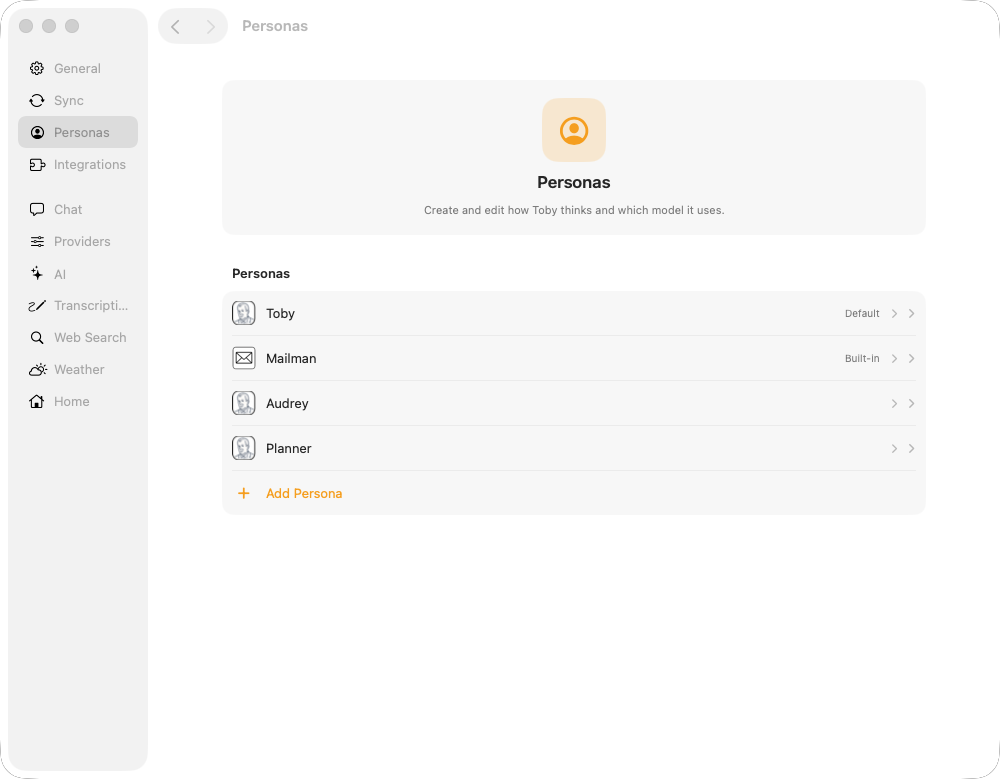
The editor has two sections. Persona holds the icon, name, and instructions. Model holds the provider, model, and prompt mode (add or replace).
- Add Persona — create a persona from those sections
- Set as default — the persona used when chat starts
- Delete — remove personas you no longer need
Personas are stored in ~/.toby/config.json.
Prompt mode
| Mode | Behavior |
|---|---|
add | Persona instructions are appended to the integration system prompt |
replace | Persona instructions replace the integration system prompt |
Most users start with add so integration-specific tool guidance stays intact.
Use a persona in chat
| Method | How |
|---|---|
| Default | Set default in Settings; Chat with Default Persona, +, and ⌘N outside Projects use it. With a project selected, ⌘N starts a new project chat. |
| New chat | Open the + menu in the chat toolbar and choose Chat with Default Persona or Chat with a named persona |
| Change default | Use the persona picker in the sidebar footer |
| Project default | Optional persona on a project applies to new project chats |
Example personas
Technologist
Instructions (summary): Prioritize technical subject matter—architecture, bugs, infra, and engineering discussions—over marketing or general admin email.
Good for: Inbox triage when you want code and systems topics first.
Project manager
Instructions (summary): Prioritize deadlines, meeting requests, blockers, and messages that affect team coordination or delivery dates.
Good for: Standup prep and cross-functional threads.
Executive assistant
Instructions (summary): Be concise; surface only items needing a decision or same-day action; defer low-priority newsletters.
Good for: A short daily briefing before meetings.
Personas vs skills
| Persona | Skill | |
|---|---|---|
| Role | Lens and priorities | How to perform a task |
| Storage | config.json | ~/.toby/skills/.../SKILL.md |
| Selection | You choose (default or persona picker) | Toby picks relevant skills per message |
| Example | “Act like a technologist” | “Steps to organize email by project” |