Skills
Skills are reusable instructions Toby loads when they match what you are trying to do. Each skill is a markdown file with YAML frontmatter, stored on disk under your Toby config directory.
What skills are
A skill lives at:
~/.toby/skills/<folder-name>/SKILL.md
In Toby.app, each skill has:
- Summary — a short explanation of what the skill does and when Toby should use it
- Instructions — markdown with steps, rules, or domain knowledge
For compatibility with the standard skill file format, Toby stores the summary
in the frontmatter description key. You do not need a separate summary key.
Example:
---
name: organize-email-by-project
description: Steps to triage email into project labels and archive noise.
---

# Organize email by project

1. Search unread messages from the last 7 days.
2. Group by project name mentioned in the subject or body.
3. Suggest one label per project; ask before applying changes.
4. Archive promotional mail older than 30 days unless starred.
How skills run
On each chat turn, Toby’s pretreatment step may select relevant skills from your catalog based on your message. Selected skill bodies are injected into the system prompt for that turn.
You do not pick skills manually each message—Toby chooses from names and summaries in the catalog. Write a clear summary so the right skill is selected.
Add and manage skills
Manage in the app
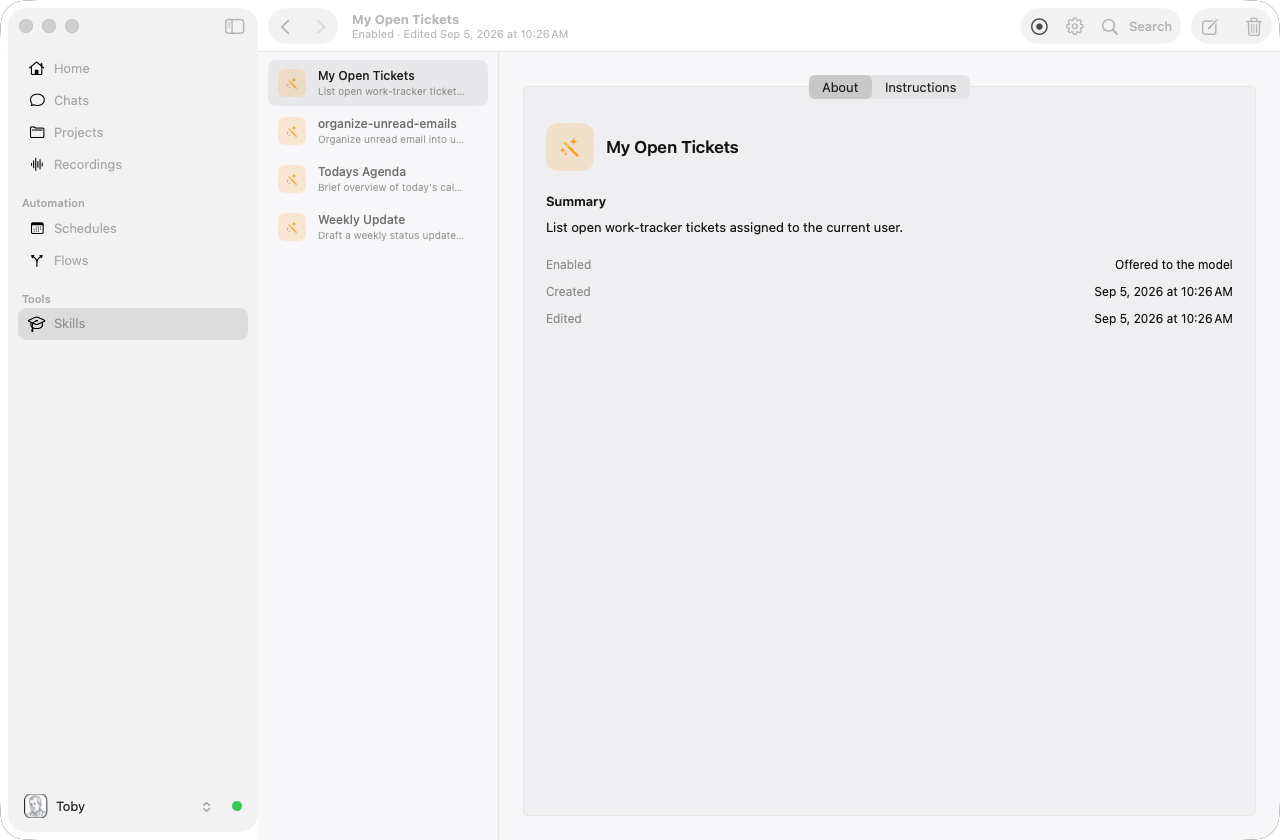
Open Toby.app and click Skills in the sidebar. The Skills workspace lists each skill in a second column. Nothing is selected until you choose a skill. Select one to open its page, or click empty space in the list to clear the selection. The skill page has About and Instructions tabs. About shows the icon, name, summary, and enabled state. Instructions shows the markdown body sent to the model. Use toolbar Edit to change those fields in a sheet (Save persists, Cancel discards). Use + in the toolbar, or the create link when nothing is selected, to open a New Skill sheet (nothing is created until you Save). You can also delete existing skills from the toolbar.
Draft from chat
In chat, ask Toby to create a skill. For example: “Create a skill that documents how I run weekly email cleanup.” Toby can draft a full SKILL.md and save it under ~/.toby/skills/.
Create on disk (advanced)
You can also add a skill manually:
- Create a folder under
~/.toby/skills/<folder-name>/. - Add a
SKILL.mdfile with frontmatter (name, plus the skill summary indescription) and the instructional body. - Open the Skills window in Toby.app to confirm it appears in the list.
Skills vs personas
| Persona | Skill | |
|---|---|---|
| Purpose | Who Toby is being (priorities, tone) | What procedure to follow |
| Storage | ~/.toby/config.json | ~/.toby/skills/<name>/SKILL.md |
| Selection | You set default or switch via the persona picker | Toby selects per message from catalog |
| Example | “Prioritize engineering email” | “How to label and archive by project” |
The same skill with different personas can produce different prioritization—for example, an email-organize skill under a technologist vs project manager persona (see Examples).
Project-local skills
A project can include skills under its own folder:
~/.toby/projects/<project-id>/.agent/skills/<skill-name>/SKILL.md
Those skills are available when the project is active. Prefer project-local
skills for procedures that should not apply globally. Global skills under
~/.toby/skills/ still work for every session.
New projects include a project-organization skill that records how that project's folder is laid out. Toby attaches it on every project chat and updates it as the layout evolves, so organization stays consistent from chat to chat.