Toby Mac App
Toby Mac App is the native macOS app for Toby and the primary way to use it. It gives you a SwiftUI surface for chat and configuration while keeping the assistant runtime, sessions, integrations, and configuration storage in a local background service on your Mac.
What it does
Toby.app currently has two roles:
| Role | How it works |
|---|---|
| Native user surface | Starts the local service when needed, then calls its localhost Server API for status, sessions, streaming chat turns, personas, and configuration. |
| Native permission bridge | Hosts a separate localhost Native API for macOS operations that need a stable app identity or native framework access. TypeScript plugins such as macOS, Apple Calendar, Apple Contacts, and Apple Reminders delegate all native operations to this server. |
The app does not embed the full assistant engine inside the SwiftUI process. It talks to the local service over HTTP so chat, schedules, and integrations stay on one shared path.
For endpoint-level documentation, see Local APIs: the daemon Server API and Toby.app’s Native API.
File menu
| Menu item | What it does |
|---|---|
| New Chat | Starts a fresh chat session (⌘N), or a new project chat when a project is selected |
| New Schedule | Opens Schedules and a New Schedule sheet. Save creates it; Cancel discards the draft. |
| New Skill | Opens Skills and a New Skill sheet. Save creates it; Cancel discards the draft. |
| New Project | Opens Projects and a New Project sheet. Save creates it; Cancel discards the draft. |
| New Memory | Opens Memories and starts the new-memory editor |
| Permissions… | Opens the Permissions window for macOS privacy grants (microphone, screen, location, and more) |
| Backup Toby Data… | Prompts for a password, then a save location for a .tbybak archive of settings, credentials, chats, schedules, flows, projects, recordings, memories, and library files |
| Restore Toby Data… | Opens a .tbybak file, asks for the password if needed, replaces the included local data, and restarts Toby to apply databases |
The CLI equivalents for backup/restore are toby config backup and toby config restore. See
Security for what is included and how encryption works. To share
settings across Macs without copying a file, use Settings → Sync
(Settings sync).
View menu
| Menu item | What it does |
|---|---|
| Show Command View | Opens the command palette to jump to sessions, routes, and actions (⌘K) |
| Route items (Home, Chat, …) | Switch the main window to that surface (⌘1–⌘2, ⌘4–⌘5, ⌘7–⌘9, Library ⌘0) |
| Integrations | Opens Settings on the Integrations catalog (⌘3) |
| Memories | Opens the Memories window to browse, add, edit, or delete memories (⌘6) |
When your search does not match an existing action or item, you can type a natural-language prompt such as “summarize my day” and choose the suggested Start a chat with … result. Toby opens a new Chat session and submits the prompt for you. The suggestion appears for sentence-like input with at least two words or sentence punctuation.
Surfaces
Use the sidebar destination list to switch between Toby.app's primary workspaces: Home, Chats, Projects, Library, and Recordings, then Automation (Schedules, Flows) and Tools (Skills). Connect services in Settings → Integrations. Memories opens as a separate window from the View menu, command palette, or menu bar — not as a main-window route.
The sidebar footer keeps the persona picker on the left and a status-dot control on the right. Click the dot for background-service details, inbound chat status, and Restart server. When the service is not healthy, a labelled recovery control also appears above the footer.
Workspaces that list items (Chats, Projects, Library, Recordings, Skills, Schedules, Flows, plus the Memories and Logs windows) share the same second-column behavior: nothing is selected until you choose a row, the main page asks you to pick one (and offers a create link when that type can be created), clicking empty space in the list clears the selection, and Toby remembers the last selected item when you leave and come back. Clicking the same destination in the left sidebar also clears the selection.
The window header spans the workspace list and detail, with the record list sitting under the header line — the same chrome as Chats. The title shows the selected item's name, or the section name when nothing is selected. A selected recording uses that recording's title, with the formatted date and time as the subtitle. A selected schedule, skill, or project shows status as the subtitle (next run, last edit, or chat count and persona). Edit name and other fields from the toolbar Edit sheet. A selected flow uses its name, with the flow id as the subtitle. Selecting multiple recordings shows their count. On the right, Record, Settings, and Search stay together across workspaces; a download Update button also appears when an update is available, and a tip points at that button. Search opens the command palette, also available with ⌘K. A separate group at the far right contains actions for the current view, such as Refresh on Home or Delete for a selected skill. This group disappears when the current view has no actions.
Home
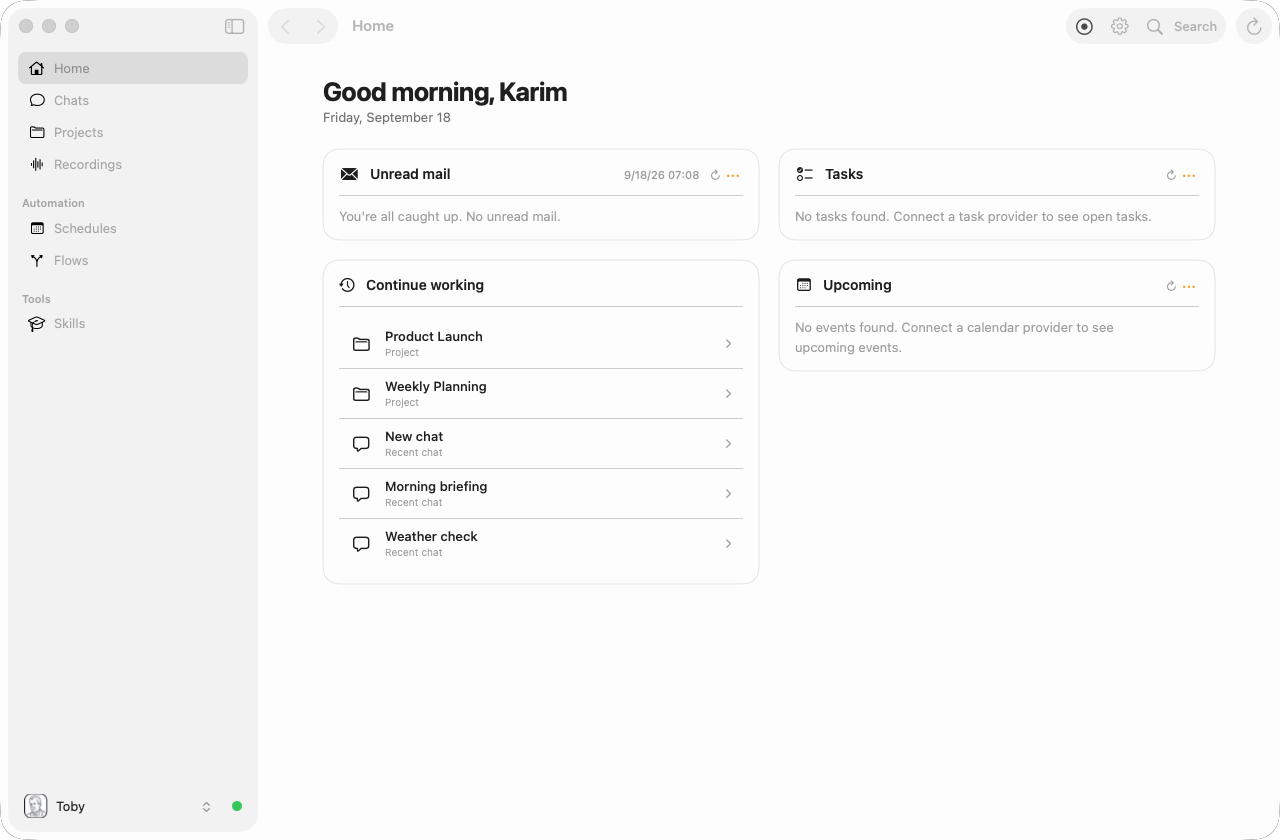
Home is the landing surface. It shows unread mail, open tasks, and upcoming events when the matching integrations are connected, plus any custom flows you pin to the dashboard. Cards use their natural height and stack into responsive columns, so short status cards can sit beside a longer briefing. Structured flow output can show a category, lead item, supporting rows, and links while plain Markdown continues to render normally.
Continue working is another card in the responsive layout and shows up to five recently updated chats and projects. Select a row to resume that chat or open the project. This feed stays on Home rather than in the global sidebar.
Chat
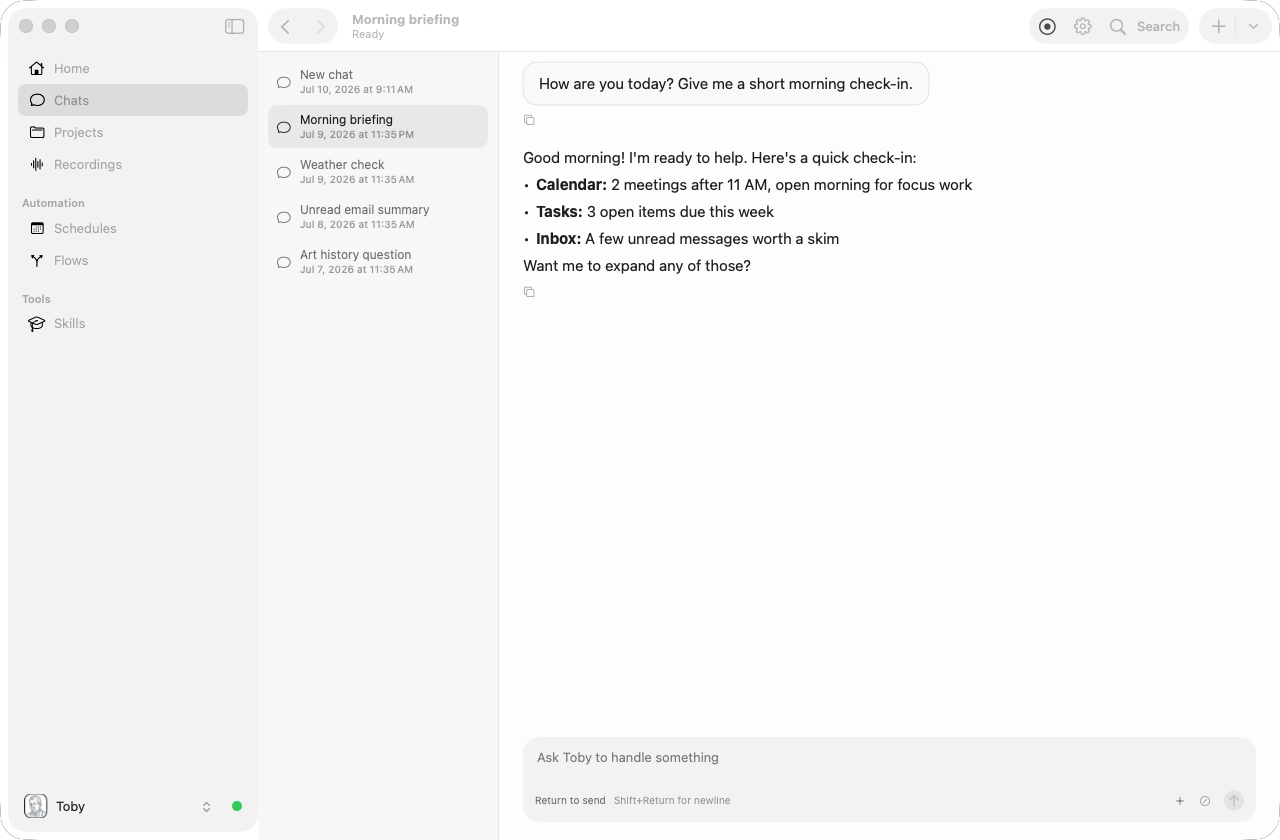
The Chats workspace is where you interact with Toby. A conversation list sits beside the transcript when the window is wide; at narrower widths, use Chats to return to the list. Turns read as one column: your prompt, a muted Worked for line while Toby is working, then the answer. Copy a reply from the icons under it; a relative time such as 4m ago sits on the right. Markdown images in replies render as photos you can click to open in the browser. Generated files appear as a chip with Download (copy to your Downloads folder) and Open.
Recordings
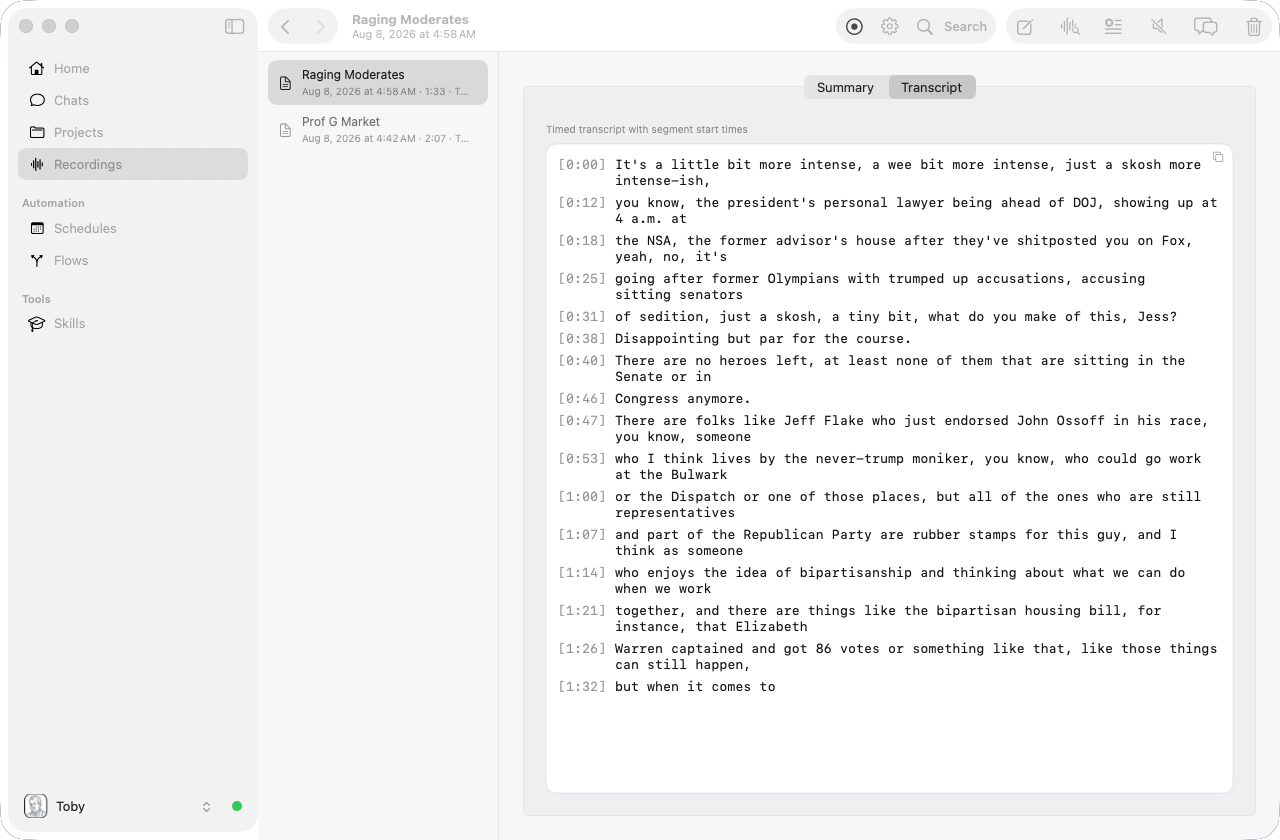
The Recordings workspace lists your past recordings in a second column. Select a recording to view its transcript or summary, generate an AI summary, or start a chat about it. An in-progress recording appears in the list too — select it to see live capture details. Rename a saved take and inspect details from Edit Recording. Click empty space in the list, or Recordings in the sidebar again, to clear the selection.
Integrations
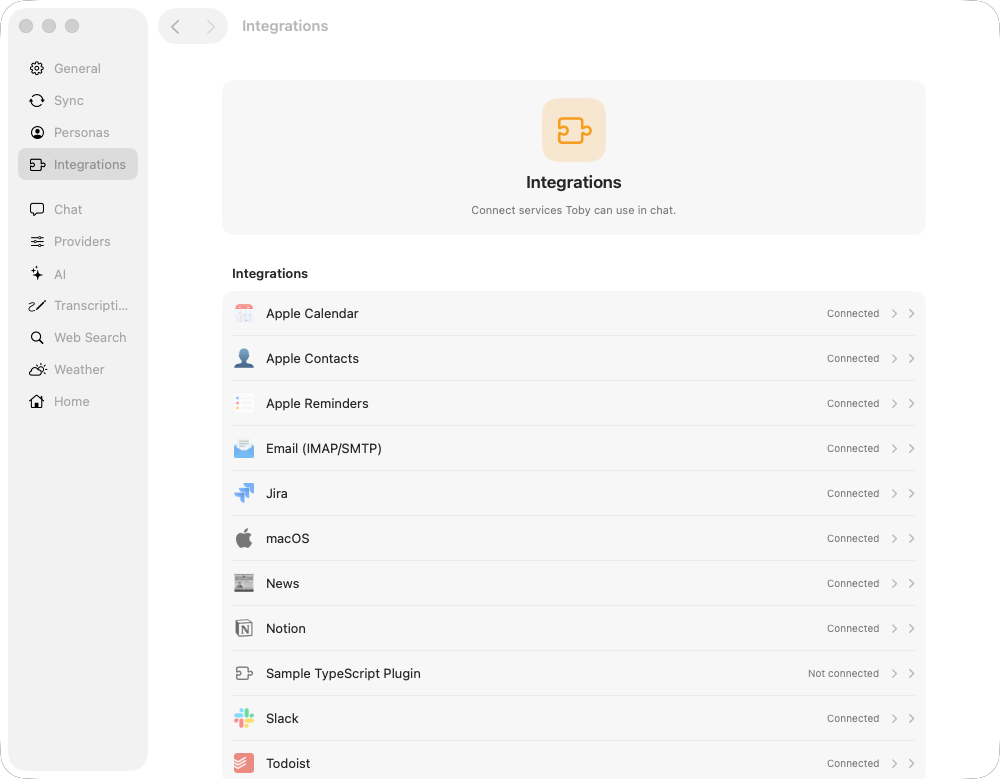
Open Settings → Integrations (⌘, then choose Integrations, or ⌘3). The catalog groups Integrations (first-party plugins) and MCP servers. Click a row to slide to its detail page: connection status, setup instructions, credentials, and Connect / Disconnect. Use Add new MCP server at the bottom of the MCP list to attach any Model Context Protocol server.
Projects
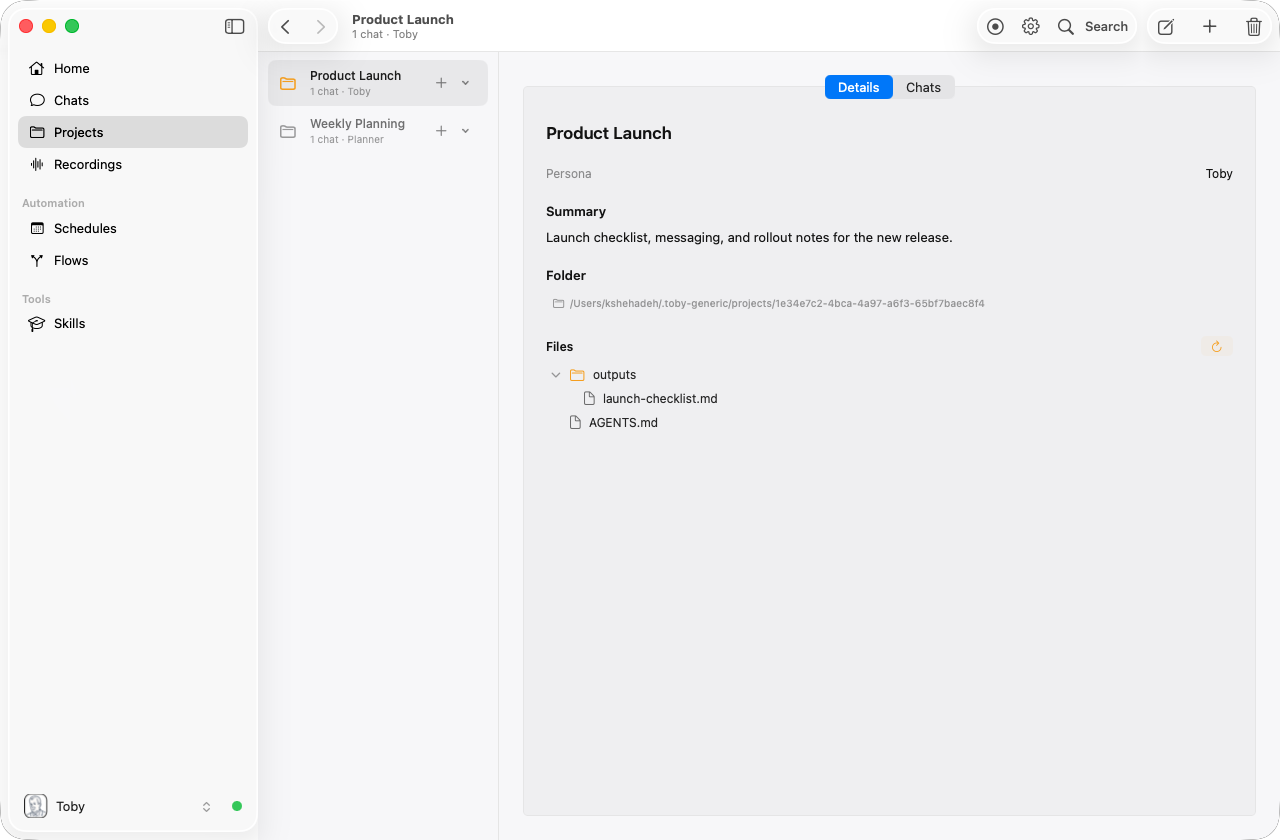
The Projects workspace lists each project in a second column. Select one to open its page: Details and Chats are separate tabs. Details is read-only: name, persona, full summary, folder, and file tree. Use toolbar Edit to change name, persona, or summary in a sheet; Save persists, Cancel discards. On Chats, click a chat to resume it, or use + Chat in the toolbar to start a new one. The toolbar shows + (new project sheet) when nothing is selected, and Edit, + Chat, plus Delete on a project page. Click empty space in the list, or Projects in the sidebar again, to clear the selection. Each project row has a + split control: click + to start a new chat for that project, or open the chevron for recent chats. Right-click a project for recent chats, New Chat, or delete. Project chats stay in Projects: they never appear in the main Chats list. While a project chat is open, a folder icon marks the chat and a toolbar button returns you to the project page (on the Chats tab).
Skills
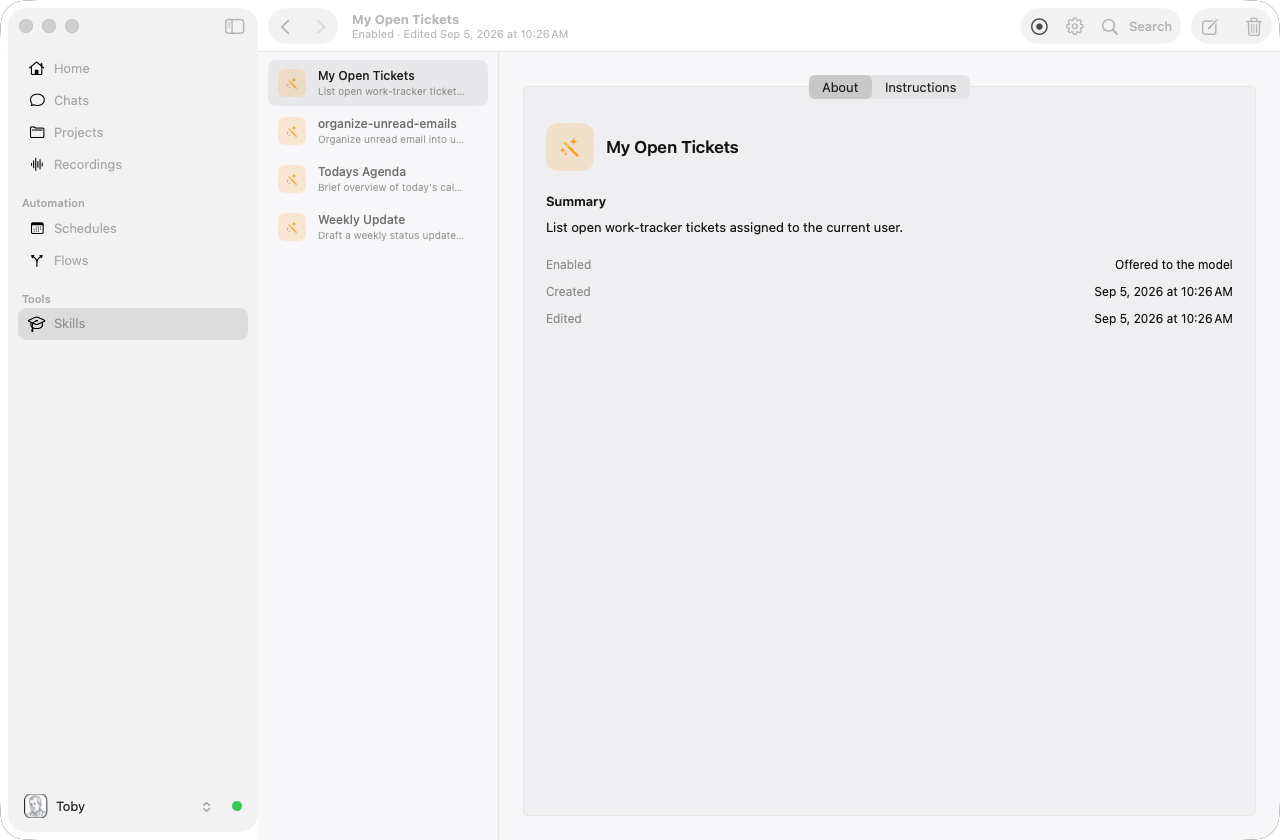
The Skills workspace lists each skill in a second column. Nothing is selected until you choose a skill. The overview asks you to pick one or create a new skill. Select a skill to open its page: About and Instructions are separate read-only tabs. About shows the icon, name, summary, and whether the skill is enabled. Instructions shows the markdown body sent to the model. Use toolbar Edit to change those fields in a sheet; Save persists, Cancel discards. Use + in the toolbar (or the create link) when nothing is selected to open a New Skill sheet. Click empty space in the list to clear the selection. You can also delete skills from the toolbar.
Memories
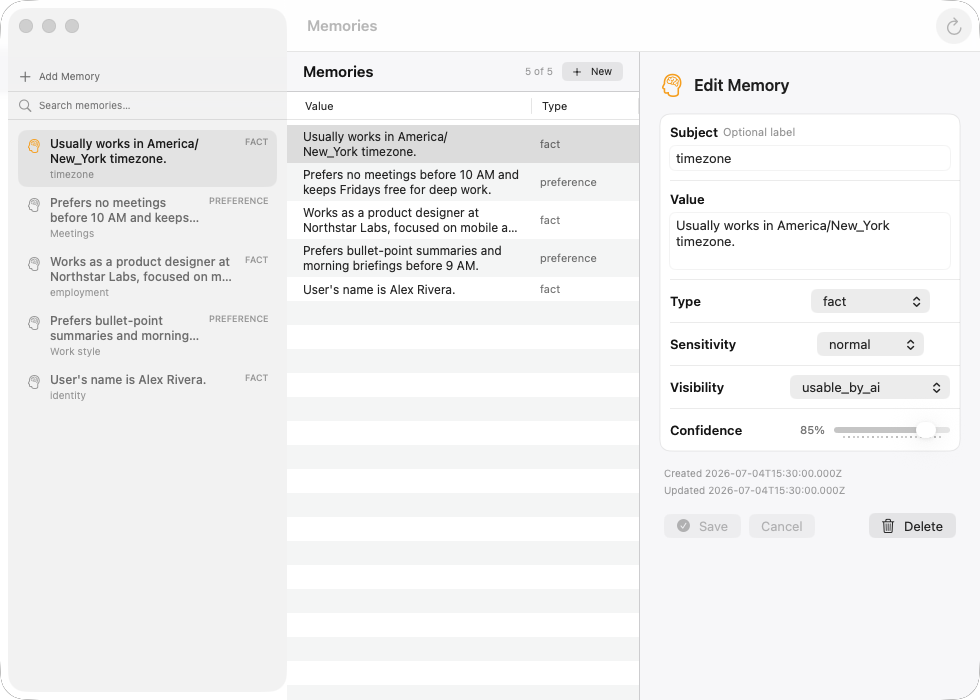
The Memories window lists the durable facts Toby keeps about you, such as preferences, projects, and relationships. Open it from View → Memories (⌘6) or the command palette. The window is a single list — there is no sidebar. A details bar stays at the bottom; when nothing is selected it says No memory selected. Click a row to inspect it. Search, add, or refresh from the toolbar. New and Edit open a sheet; Save persists, Cancel discards. Click empty space in the list to clear the selection. It is not a sidebar workspace in the main window.
Schedules
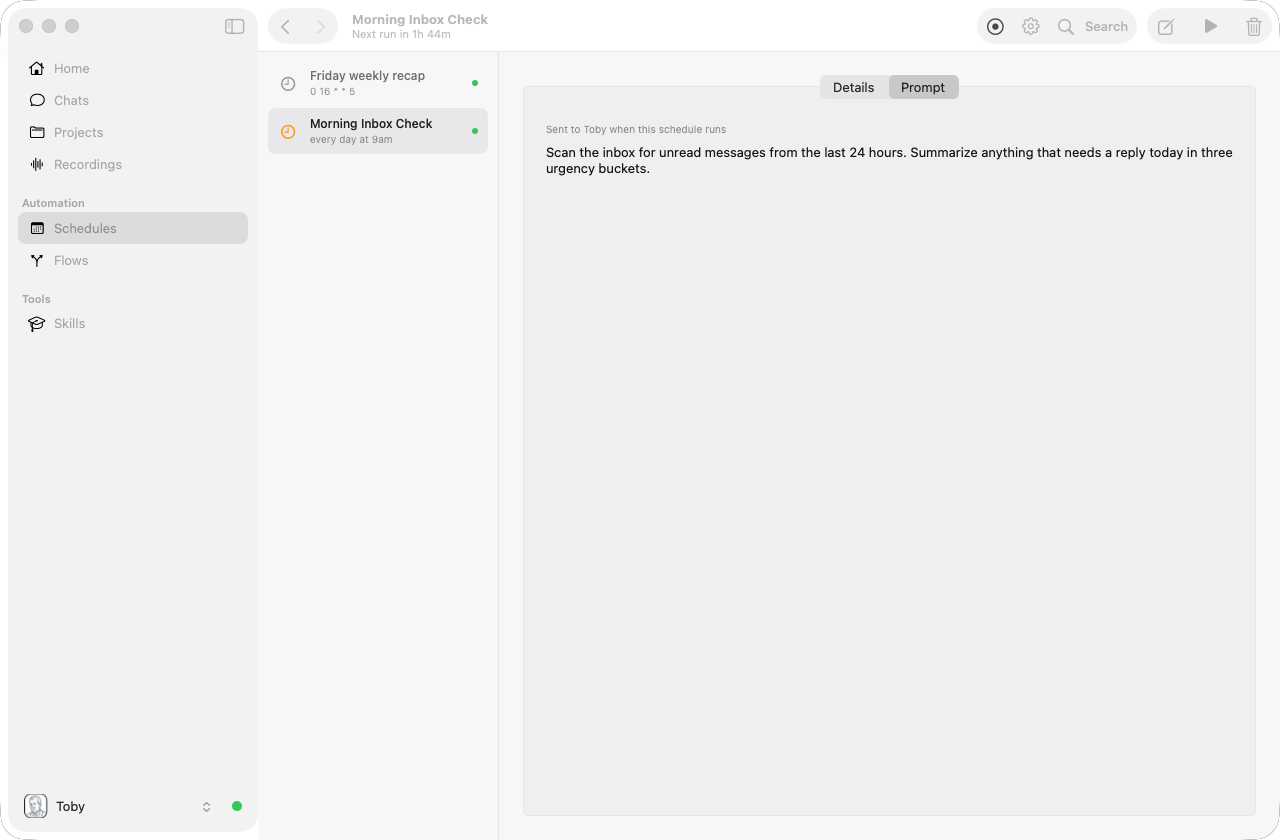
The Schedules area lists each schedule in a second column. Select one to open its page: Details and Prompt are separate read-only tabs. Details shows name, enabled state, timetable, persona or flow, and recent runs. Prompt shows the prompt markdown or a flow summary. Use toolbar Edit to change fields in a sheet; Save persists, Cancel discards. Click empty space in the list to clear the selection. Use + when nothing is selected to open a New Schedule sheet, or Run now / Delete on a selected schedule.
Flows
The Flows window shows automated pipelines that combine local tools with an optional persona and LLM step. Built-in jobs still fill the home dashboard blocks (email, tasks, calendar). Select a flow to open Details (description, nodes, metadata) and Recent runs tabs. You can also create your own flows: pick tools, fill in their arguments, optionally add a last LLM step, choose whether the result opens in a window / is emailed / is posted to Slack / appears as a home-dashboard card, and Run now. Toolbar Edit (custom flows) or + opens a sheet with Cancel and Save. Built-in flows stay read-only. Running a custom flow from a schedule is still later.
The Flows list also has Script Tools. Create and test reusable TypeScript or AppleScript tools there, then select them from My Tools when editing a flow. One saved script can be used by several flows.
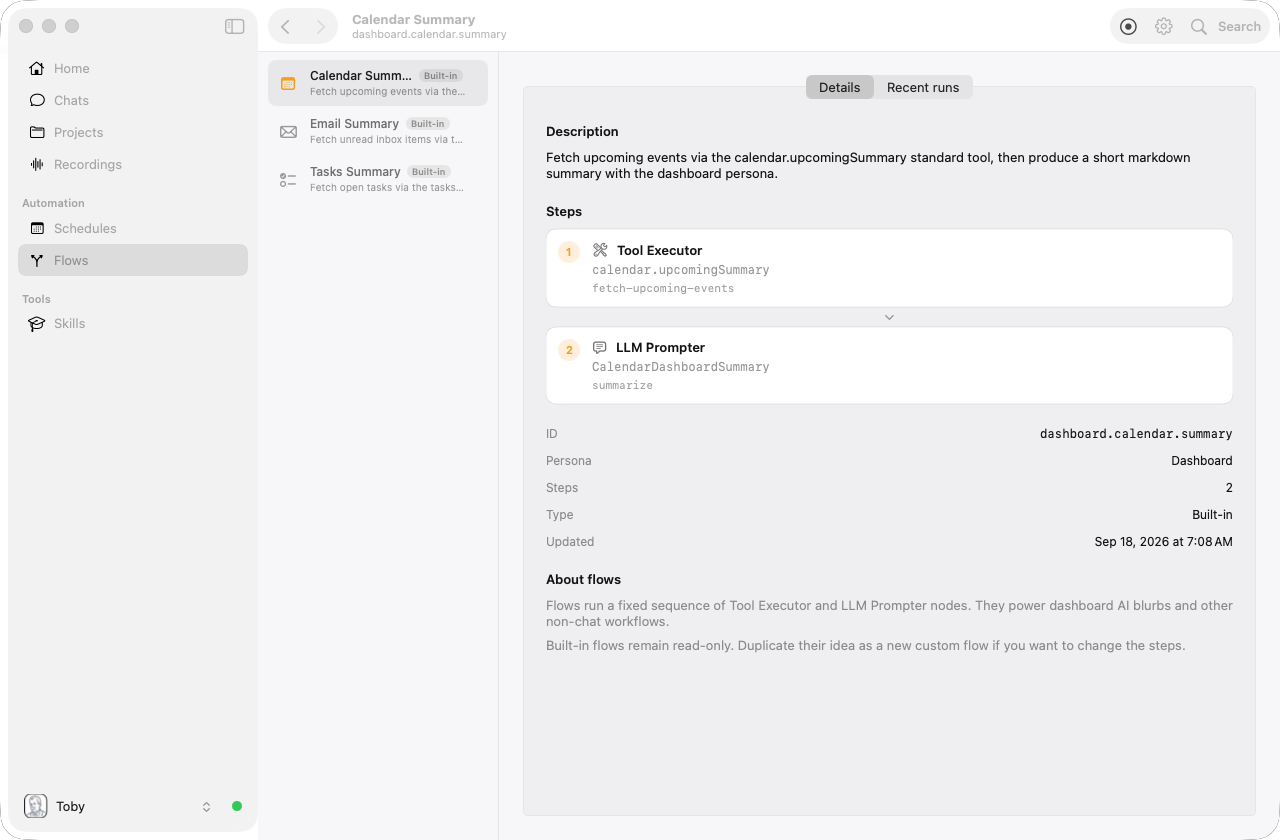
See Flows for a fuller explanation.
Settings
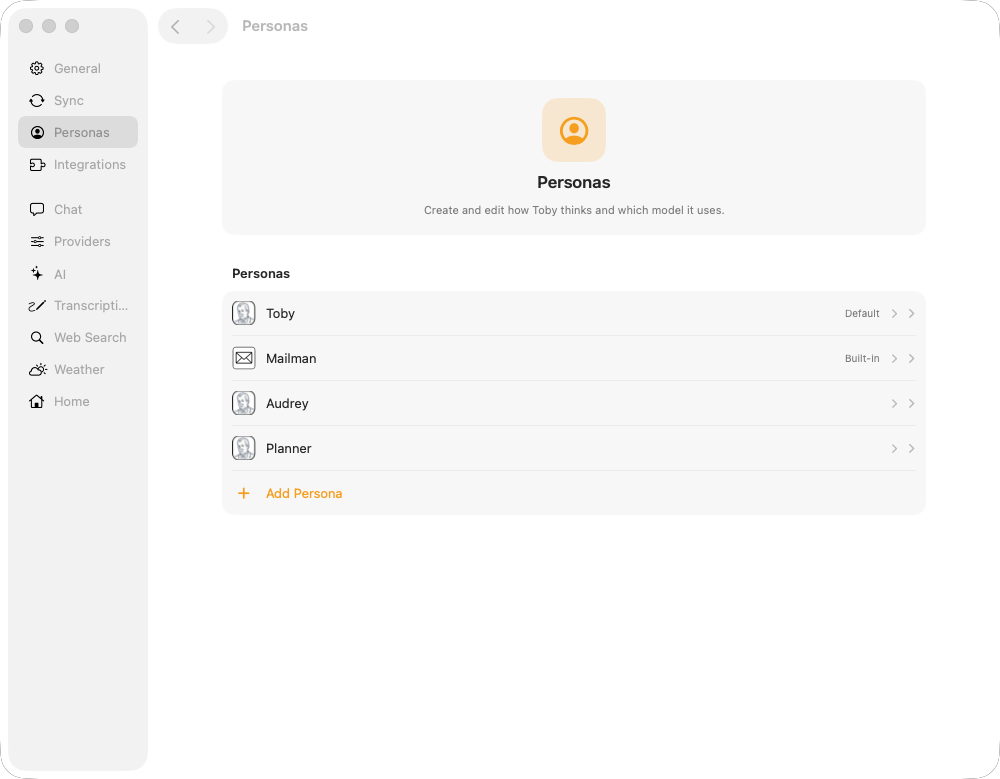
The Settings window lets you configure chat defaults, AI providers, personas, and other preferences. Personas, Integrations, and AI open a catalog; click a row to slide to that persona, plugin, or provider.
General
The first tab, General, is local to Toby.app (it is not stored in
~/.toby/config.json). Changes apply immediately on this Mac.
| Control | Options | Default |
|---|---|---|
| Home directory | Choose folder / Use default | ~/.toby |
| Start at login | On / Off | Off |
| Show menu bar icon | On / Off | On |
| Chat mode | Normal, Debug | Normal |
| Theme | System, Light, Dark | System |
| Accent color | Orange, blue, green, purple, pink, red, teal, gray | Orange |
Home directory — Folder where Toby stores config, chat history, plugins,
recordings, and other data (the same path About calls “Toby home directory”).
Default is ~/.toby. Choose… picks another folder; Use Default restores
~/.toby. Switching does not copy data between homes — it points Toby at a
different (or empty) data root, restarts the local server, and reloads the app
UI. Finish or cancel any chat turn and stop recording before switching. The
preference is stored only for Toby.app on this Mac; the toby CLI still uses
~/.toby unless you set the TOBY_DIR environment variable.
If the app is launched with an explicit TOBY_DIR, that home takes precedence
over the saved preference for that launch. You can still switch homes in Settings.
Start at login — Open Toby automatically when you log in to this Mac. Uses
macOS Login Items (SMAppService). If macOS asks for approval, allow Toby under
System Settings → General → Login Items. Off by default so a fresh install
does not start on every reboot.
Show menu bar icon — Show Toby’s icon in the menu bar for quick access to chat, recording, and windows. On by default. You can always open Toby from the Dock or Applications when the icon is hidden; the Dock recording indicator still updates while a recording is active or while a just-stopped recording is still being prepared (amber processing indicator, not the live red recording dot).
Chat mode — How much pipeline detail appears in the chat transcript:
| Mode | What you see |
|---|---|
| Normal (default) | User messages, assistant replies, errors, ask-user prompts, and one Working… / Worked for activity card. It expands while a turn runs, collapses after a successful turn, and stays open after a failure. Expand a completed card to see work steps and selected tools. |
| Debug | Everything in Normal, plus skill-selection and other pipeline notices. Selected tools stay inside the activity card instead of appearing as a separate transcript line. |
Use Debug when troubleshooting routing, tools, or prompt preparation; stay on Normal for everyday conversation.
Theme — System follows macOS light/dark (including scheduled Auto); Light and Dark force that appearance. Theme applies across the main window, Settings, Logs, and other Toby.app windows.
Accent color — Accent used for interactive highlights (buttons, selection, status cues) across Toby.app windows. Same preset in light and dark.
Home (related)
The Home surface shows unread mail, open tasks, and upcoming events (when the matching integrations are connected), plus any custom flows you associated with a Dashboard destination. Built-in cards have a fixed title and actions, plus a short summary body generated from your connected integrations. Informational flow cards work the same way and show the last run’s output. Headings, prose, bullets, and links can be presented as structured briefing sections; other output uses its original Markdown. Cards keep their natural height until long content reaches the collapsed limit, and the responsive layout fills the shortest column first. Runner only flows appear in an Actions strip beside the cards (not as full-size cards). Each action is a colored tile with the flow’s icon, play control, and name. The color is the one you chose in the flow editor (teal if you did not pick one). Hover for a second to see the title and description. Click the tile to run it immediately — while a run is in progress that button is disabled and shows a spinner. The Actions strip is hidden when you have no runner flows (or all of them are hidden). It appears as a trailing sidebar on the right of Home; drag the system divider to make it narrower or wider. When at least one runner flow exists, a toolbar control next to Refresh hides or shows the whole strip without removing the individual actions. Use the refresh control in the toolbar (or the refresh control on a built-in or informational card) to regenerate card content. Cards load once the local service is ready when you open the app.
To rearrange Home, click Edit Home in the toolbar. While editing:
- Drag a card before or after another card. The insertion marker or placeholder shows where it will land; Continue working can move like the other cards.
- Use a card's hide control to move it into Hidden cards. Click Show to restore it, or drag an informational card back into the grid.
- Card actions and refresh controls stay disabled so a drag cannot accidentally run an action.
- Click Done, press Escape, or leave Home when you are finished.
Toby saves each completed move on this Mac and restores the order the next time the app opens. Runner-only flows remain in the Actions strip rather than the card order; the strip can still be shown, hidden, and resized from Home.
Under Settings → Home, you can set the persona used for Home summaries and control which home cards are visible (app-local). Card bodies are produced by built-in flows.
- Home persona — Model and instructions used for the short summary bodies on the unread mail, tasks, and upcoming events cards. Prefer a non-reasoning model for this persona (entries without a · reasoning label in the model picker) so summaries stay reliable. Reasoning models (for example Grok 4.5) can leak planning or internal metadata into the card body; Toby strips common leaks, but a non-reasoning model is still the best fix.
- Show unread mail / Show tasks / Show upcoming events — On by default. Turn any off to hide that card on Home; turn it back on to show it again. Upcoming events come from your default calendar provider (Settings → Default Providers). Hide custom flow cards from the Home editor (these toggles only cover the built-in cards).
- Hide onboarding checklist — Off by default. Turning that on removes the setup checklist from Home even if steps remain incomplete; turn it off to bring the checklist back. On Home, Hide next to the progress count (for example “2 of 9 done”) sets the same preference.
- Reset Home layout — Restores the default card order, returns Continue working to its default position, shows all cards, and resets the Actions strip. It does not change the onboarding checklist.
Permissions
Open File → Permissions…. The window shows macOS privacy grants used by Toby.app (microphone, screen capture, location, calendar, reminders, accessibility, and more). Use Allow to trigger the system prompt, or Open System Settings when a permission was previously denied.
Location Access is required for the chat tool getMyLocation (for
example “Where am I?” or weather “near me”). See Location.
How the local service starts
When Toby.app opens, it checks the local service at:
http://127.0.0.1:7847/api/status
If the service is not available, Toby.app starts it automatically in the background. You do not need to manage that process yourself—opening the app is enough.
Once the service is reachable, Toby.app uses it for:
- session lists and transcripts
- creating sessions
- streaming chat turns over server-sent events
- answering interactive
askUserprompts - persona options
- configure tree reads and writes
- integration setup guides / wizards for onboarding new integrations
- guided Vercel AI Gateway setup (Home onboarding and Settings → AI)
Toby.app also preloads shared list data after the service is reachable so the Home surface, sidebar, and command palette can show counts and shortcuts without waiting for each individual view to be opened first. This shared preload covers chat sessions, schedules, recordings, memories, skills, projects, and integration sections. Heavy detail payloads stay lazy: recording transcripts, memory detail, skill bodies, project file trees, and schedule run transcripts are fetched only when their feature views need them.
Native API server
Toby.app also starts a separate native API server on a random localhost port and writes that port to:
~/.toby/native-port
macOS-facing plugins read that file, check /api/native/health, and use the
native server when available. This lets users grant macOS permissions to a
clearly identified app bundle instead of to changing helper processes.
Current native API areas:
| Area | Used by | macOS permission |
|---|---|---|
| Calendar operations | Apple Calendar plugin | Calendar / EventKit |
| Reminders operations | Apple Reminders plugin | Reminders / EventKit |
| Contacts search and detail | Apple Contacts plugin | Contacts |
| Wi-Fi, Bluetooth, audio, battery, display, clipboard, shortcuts, system info | macOS plugin | Various (CoreWLAN, CoreAudio, IOBluetooth, IOKit, AppKit) |
| Window minimize and restore | macOS plugin | Accessibility |
If Toby.app is not running, both plugins auto-launch it in the background.